Getting started
Task Quest is a tiny to-do app that looks like an 8-bit RPG. Every task is a monster. When you finish the task, you defeat the monster and the party member who owns it gains EXP and levels up.
Open index.html in Chrome, Edge or Safari. Nothing to install, and no account. The game starts in Japanese; press L on the title screen for English.
Controls
| PC | Phone | What it does |
|---|---|---|
| ↑ ↓ | — | Move the ▶ cursor |
| Enter | Tap an item | Choose the item / show the next message |
| Esc | Tap Esc: Back (or Esc: Cancel) | Go back one screen. Every screen has one; in battle, RUN takes you back. |
| M | — | Sound on / off (remembered) |
| H | Tap H: HELP | Open this help (on the title screen) |
| L | Tap L: 日本語 | Switch Japanese / English (on the title screen, remembered) |
The basic loop
- ADD a task. A random monster appears in the quest list.
- FIGHT it when you start working on the task.
- When the task is really done, choose FIGHT again and answer YES. The monster is defeated.
- The owner gets 10 EXP. Every 30 EXP (3 tasks) is one level.
Title screen
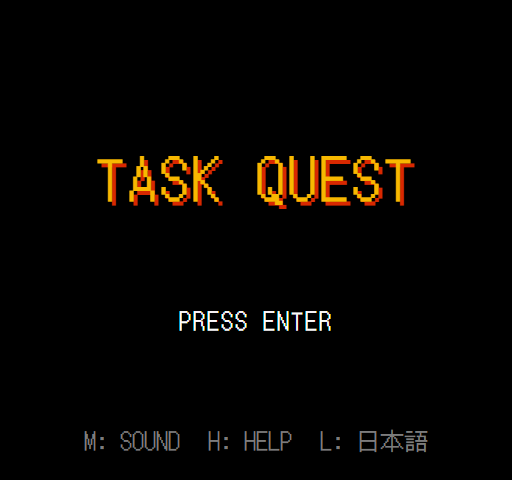
- Enter or tap anywhere: go to the quest list.
- M: turn sound on or off. A small SOUND ON / OFF badge shows for a moment.
- H or tap H: HELP: open this page.
- L or tap L: 日本語: switch the game to Japanese (the default). Your tasks and party stay the same.
Quest list
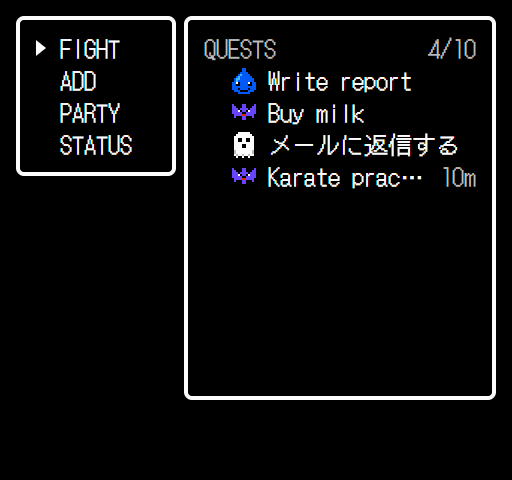
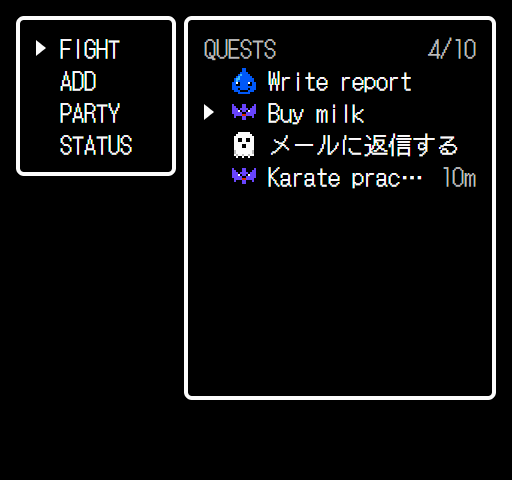
The main screen. Every other screen starts here and comes back here.
| Command | What it does |
|---|---|
| FIGHT | Pick a monster in the list, then Enter to start the battle. Esc goes back to the commands. |
| ADD | Add a new task. Blocked with “No room for more monsters!” when there are 10. |
| PARTY | Add or remove party members. |
| STATUS | See each member’s level, EXP and wins. |
On a phone you can tap a monster directly to fight it. Long names are cut with “…” here; the battle screen shows the full name.
Add a task
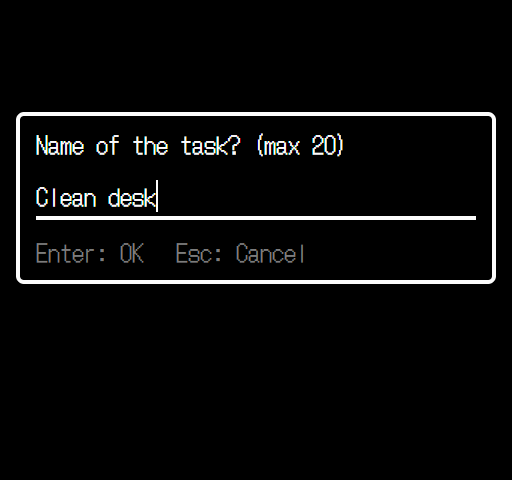
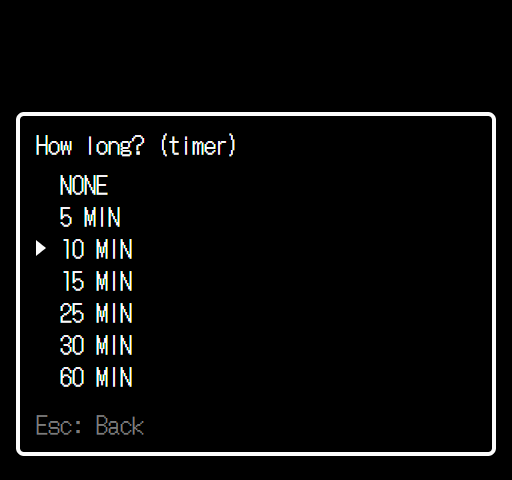
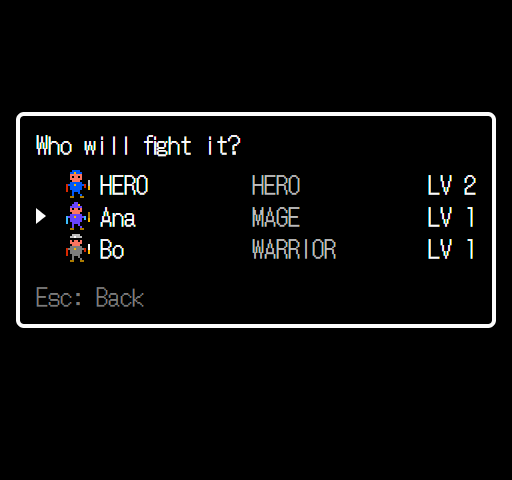
- The name can be 1 to 20 characters (Japanese works too). An empty name shows “Please type a name for the task.”
- Enter or tap Enter: OK to go on, Esc or tap Esc: Cancel to go back.
- Step 2: NONE, 5, 10, 15, 25, 30 or 60 minutes. See Timer.
- Step 3 only appears when the party has more than one member. With only the hero, the hero owns the task.
- The new task gets a random monster: slime, bat or ghost.
Battle
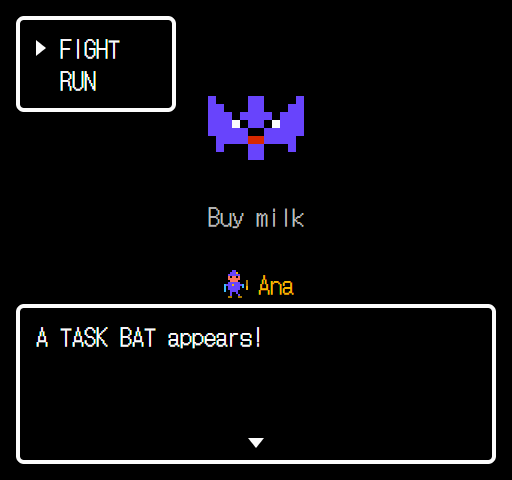
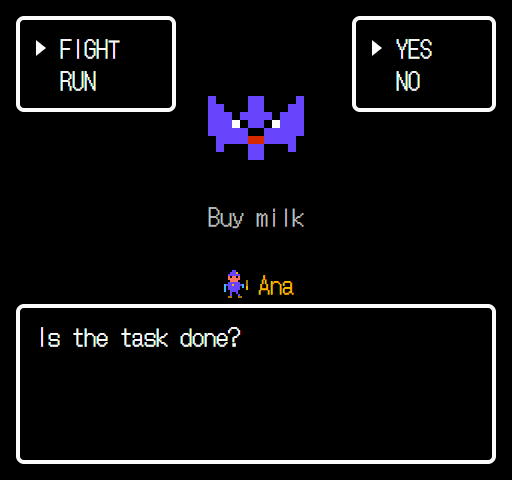
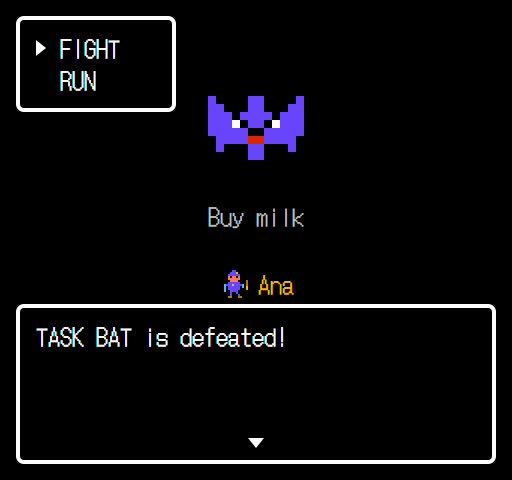
| Choice | What happens |
|---|---|
| FIGHT → YES | The screen flashes and shakes, the task is removed, and the owner gets +10 EXP and +1 win. If they reach a new level you hear a fanfare and see “NAME reached level N!”. |
| FIGHT → NO | “Keep going!” The battle stays open; choose FIGHT again when you finish. |
| RUN or Esc | “You ran away!” Back to the list. The task stays, no penalty. |
Levels
A member levels up every 30 EXP: level 2 at 30 EXP, level 3 at 60, level 4 at 90. That is one level every 3 defeated tasks.
Timer
Use it for tasks you do for a set time, such as “Karate practice, 10 minutes”. Pick the time when you add the task; the quest list shows “10m” next to its name.
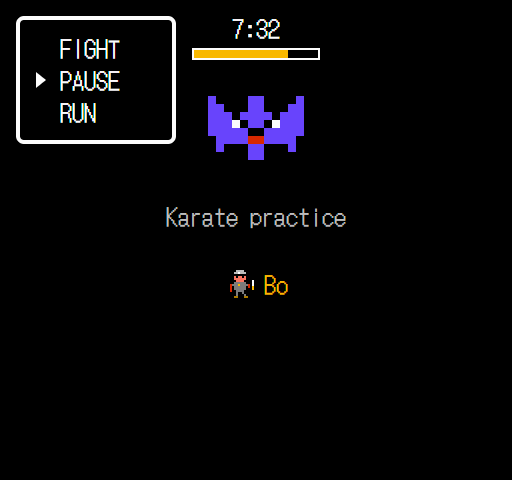
| Choice | What happens |
|---|---|
| TIMER | The countdown starts (10:00, 9:59 …). TIMER in the menu becomes PAUSE. |
| PAUSE | Stops the timer. Choose TIMER again to go on from the time left. |
| 0:00 | An alarm plays, “Time is up!” shows, and the monster is defeated with the same EXP as FIGHT → YES. |
| FIGHT | Done early? FIGHT → YES defeats the monster at any time. |
| RUN or Esc | The timer stops and the time left is kept. The quest list shows it (for example 7:32). |
What if I close the app?
The app saves when the timer will end, so a reload or a locked phone does not change the time. If a timer is running when you open the app, Enter on the title screen takes you back to that battle. If the time ran out meanwhile, the monster is defeated then.
The alarm cannot play while the app is closed or the phone is locked (browsers do not allow it).
Party
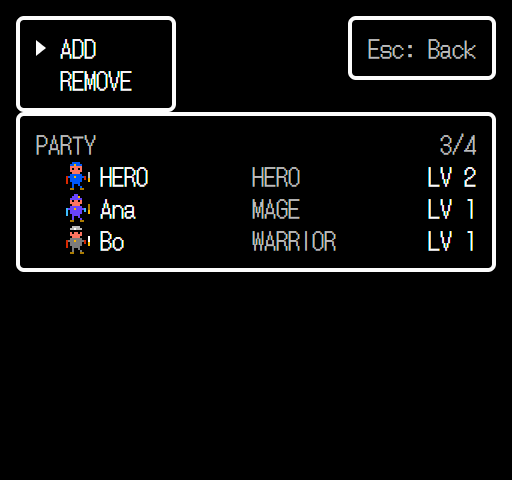
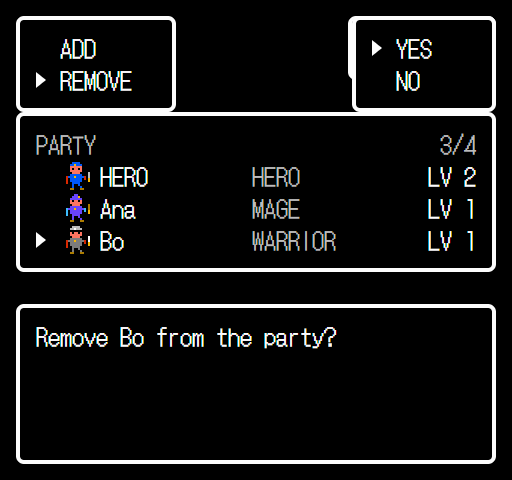
- ADD: add a member (see Add a member). With 4 members it shows “The party is full!”.
- REMOVE: move the ▶ to a member and press Enter, then answer YES. Esc or NO cancels.
- The hero can never leave the party.
- When a member leaves, their tasks are not lost: they move to the hero (“2 tasks moved to HERO.”).
Add a member
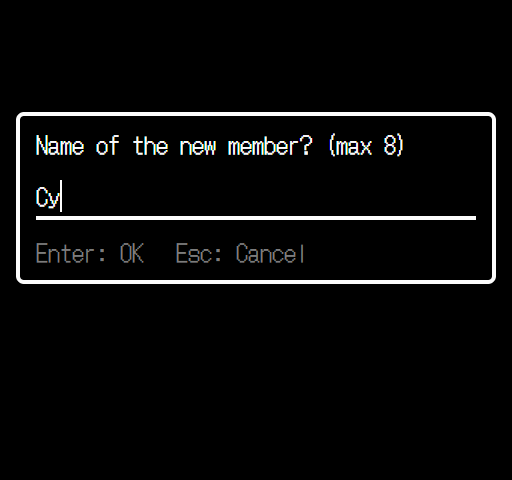
- The name can be 1 to 8 characters. An empty name shows “Please type a name for the member.”
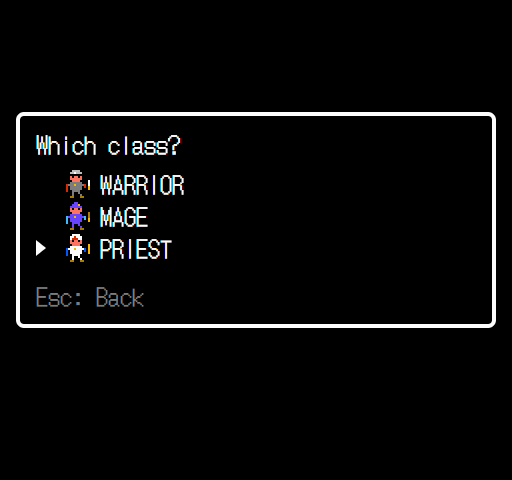
- Classes: Warrior, Mage or Priest. The class only changes the sprite; every member levels up the same way.
- In step 2, Esc goes back to the name.
Status
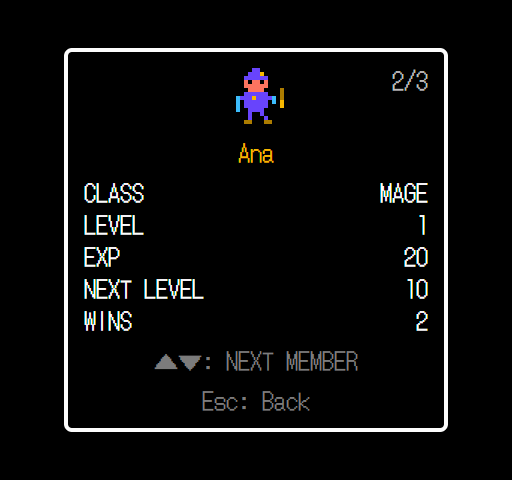
| Row | Meaning |
|---|---|
| CLASS | Hero, Warrior, Mage or Priest |
| LEVEL | Current level |
| EXP | Total EXP earned (10 per task) |
| NEXT LEVEL | EXP still needed for the next level |
| WINS | Tasks this member has finished |
↑ ↓ or tap the window: next member. Enter, Esc or tap Esc: Back: back to the list.
Saving and FAQ
Where is my data?
Everything is saved automatically in this browser on this device (localStorage). There is no server and no account, so a task added on your PC does not appear on your phone.
Can I lose my tasks?
Clearing the browser’s site data, or using a private window, removes them. Reloading the page is safe, even in the middle of a battle: you go back to the title screen and the task is still in the list (with a running timer, you go back to that battle).
No sound?
Press M to turn sound back on. Browsers only allow sound after your first key press or tap.
Why can’t I add more?
The quest list holds 10 tasks and the party holds 4 members. Defeat a monster or remove a member to make room.